If you would like to upload voice extractions for a work after it has been uploaded, please proceed as follows:
Create the parts in PDF format in your notation software. Name each part so that other users can immediately recognize which part it is.
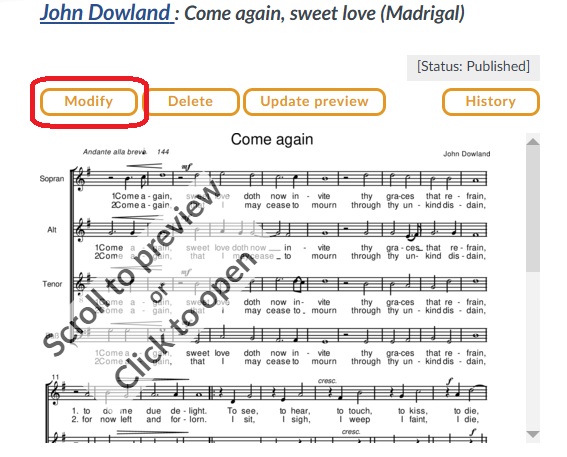
Log in. Go to the relevant piece and click on “Modify” in the top left-hand corner.
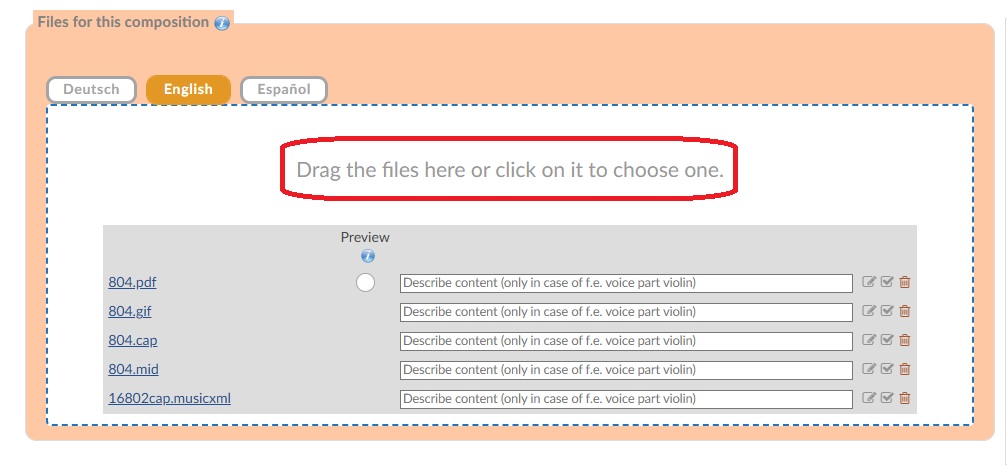
The “Contribute sheet music” form will open. Add the PDF voice extractions to the field „Files for this composition“.
For pieces with a large ensemble, it is advisable to merge the individual parts into a single PDF file prior to upload.
You can do this conveniently online using the free “PDF 24” tool.
When you are finished, click on “‘Transfer”.
This video shows you again all necessary steps:


